Onboarding
Overview
Polymesh users who participate in asset and identity related transactions must have an on-chain identity (DID). Accounts used solely for POLYX transfers and staking (excluding validator activities) are not subject to this requirement.
From Polymesh v8, onboarding is to receive a DID and supports two paths:
- Self-registration: The user calls
identity::register_didfor their own key and pays the transaction fee. - Registrar-assisted registration: A permissioned DID registrar registers a DID for a user key and pays the transaction fee.
If you are new to Polymesh, a practical flow is:
- Set up your wallet
- Acquire POLYX
- Complete DID onboarding when you want to use identity and asset related features
This helps reduce onboarding friction for users who only need basic POLYX transfers or staking. If you self-register a DID, you will need POLYX to pay the registration fee.
Onboarding to obtain a DID is not a substitute for issuer-specific KYC requirements on regulated assets. Asset issuers can enforce additional compliance requirements through claims and compliance rules.
Connect Wallet and Select Key
When you first create an account, it appears as an unassigned key, meaning no on-chain identity (DID) is linked yet.
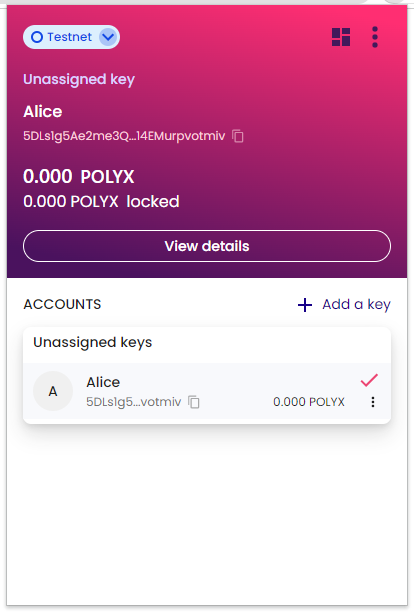
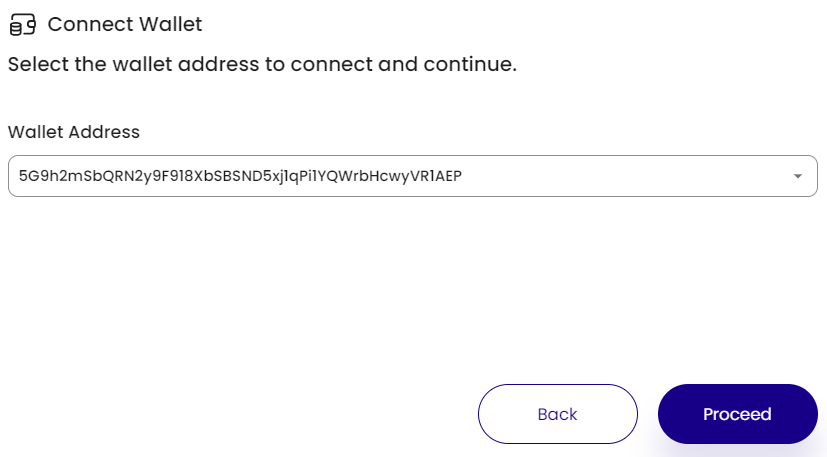
Open the Polymesh Portal Mainnet or Polymesh Portal Testnet, then connect your wallet and select the key you want to onboard.
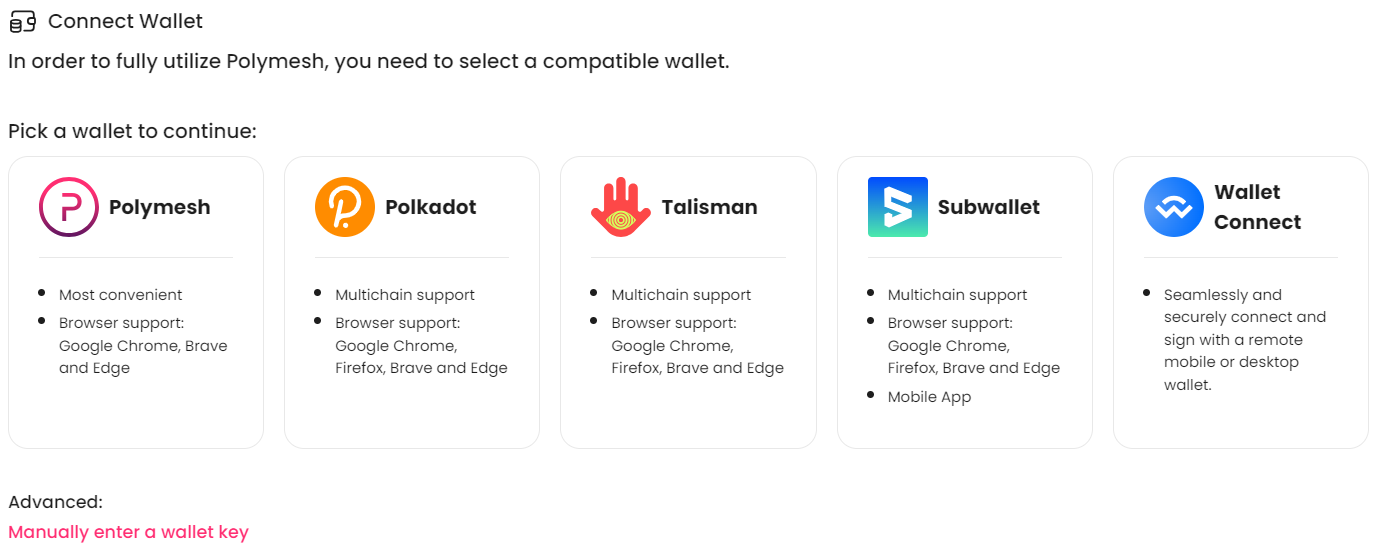
You can also use "Manually enter a wallet key" for view-only access. To complete onboarding and sign transactions, use a key from a connected supported wallet.
Once connected, the Overview page shows the selected key and its current identity status.
Complete Onboarding (Self-Assign DID)
For keys that are not yet linked to an identity, Portal should show "This key is not linked to an identity" and a Get On-Chain Identity (DID) button.
Self-assigning a DID submits an on-chain transaction, where the user pays the transaction fee. Therefore the user must have some POLYX in the signing key before proceeding.
When the user clicks this action:
- Portal prepares an
identity::register_didtransaction for the selected key. - The wallet signing interface opens and prompts the user to sign.
- After the user signs, the transaction is submitted.
- After successful execution, the key is linked to a new DID.
Registrar-assisted onboarding (optional)
DID registrars are a permissioned network role approved through on-chain governance.
Platforms may use registrar-assisted onboarding when a third party should assign the DID, for example:
- to sponsor onboarding fees for users
- to support users who do not yet hold POLYX
- to keep onboarding managed by platform operations rather than end users
- to support platform models where available signing methods are intentionally restricted
In this flow, the registrar submits DID registration for the user key and pays the fee on the user's behalf.
DID persistence across platforms
Once assigned, a DID is linked to the key on-chain, not to the platform that submitted the registration transaction.
- If that same key is later used in another wallet or platform, the DID remains valid.
- The registrar that originally assigned the DID cannot revoke that DID assignment through the registrar role.
This differs from historical CDD claims (pre v8), which were separate claim records and could be updated or revoked.
Testnet onboarding
On the Testnet instance of the Polymesh Portal, onboarding is done by a DID registrar and seeds accounts with test POLYX for experimentation.
Extrinsic reference
identity::register_did(target_account)- Registers a DID for the target account.
- Supports assigning a DID to a single key.
identity::cdd_register_didandidentity::cdd_register_did_with_cdd- Deprecated in v8, legacy onboarding extrinsics retained temporarily for transition.